
01English Spanish
AI Audio Translator with Transcript Review and Voice Export
Translate spoken audio online with an AI audio translator that turns speech into an editable transcript, translates the meaning, and helps you export multilingual content faster.
Upload File
Click or drag files here to upload
Supports audio files up to 30 minutes and 500MB
Supported formats: ogg, aac, aiff, m4a, mp3, wav, midi, mid, wma, aif, 3gp, opus, webm, flac, mp4.
Audio Translator Examples
Original audio vs. translated audio
02English Russian
03English Arabic
More Tools
4.9⭐⭐⭐⭐⭐
Average User Rating · 786 ratings
120+
Countries & Regions
100,000+
Audio Files Processed





VoiceEnhancer gives creators, educators, and teams practical AI audio tools for clearer speech, faster transcripts, and easier multilingual publishing.

Audio Translation Workflows for Global Content
Use one browser-based workspace to understand, translate, and repurpose spoken audio across languages.
Video Localization
Translate voiceovers, tutorials, interviews, and social videos so the same message can reach viewers in another language.
Podcast Repurposing
Turn podcast speech into a transcript, translate the episode content, and prepare multilingual versions for new audiences.
Course and Lesson Audio
Help students follow lectures, training clips, and lesson recordings by translating spoken explanations into clearer text or speech.
Meeting and Interview Review
Convert recorded conversations into text, translate key sections, and review meaning before sharing notes with a wider team.

Creator Research and Captions
Use audio to transcript and AI translation together when you need captions, summaries, quotes, or localized source material.
Video Localization
Translate voiceovers, tutorials, interviews, and social videos so the same message can reach viewers in another language.
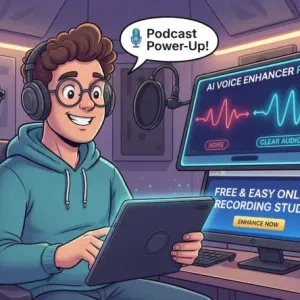
Podcast Repurposing
Turn podcast speech into a transcript, translate the episode content, and prepare multilingual versions for new audiences.

Course and Lesson Audio
Help students follow lectures, training clips, and lesson recordings by translating spoken explanations into clearer text or speech.
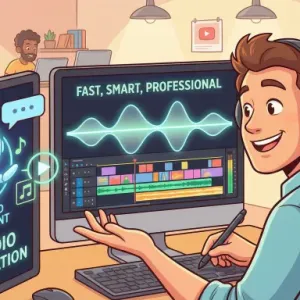
Meeting and Interview Review
Convert recorded conversations into text, translate key sections, and review meaning before sharing notes with a wider team.
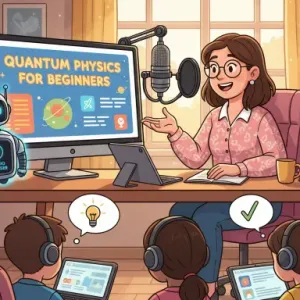
Creator Research and Captions
Use audio to transcript and AI translation together when you need captions, summaries, quotes, or localized source material.
How to Translate Audio with AI
Upload audio, let AI create and translate the transcript, then review the result before exporting.
1
Upload Your Audio
Add a supported audio or video file that contains the speech you want to translate.
2
Transcribe and Translate
VoiceEnhancer uses AI transcription to convert speech into text, then translates the transcript into your selected language.
3
Review and Export
Check the translated transcript, make sure the meaning fits your content, and export the result for captions, notes, or multilingual publishing.
AI Translation Tools Built Around Spoken Audio
Translate more than words by keeping transcript review, speech context, and export needs in the same workflow.
Speech-to-Text Translation Flow
Start with spoken audio, create a transcript, and translate the content without switching between separate transcription and translation tools.

Editable Audio Transcript
Review the AI transcription before using it in captions, study notes, articles, or localized content drafts.
Multilingual Creator Workflow
Translate tutorials, podcasts, courses, interviews, and short-form content so your message can travel beyond one language.
Audio and Video Source Support
Work with speech from common media files and move from source audio to translated output in a focused online workspace.
Review Before Publishing
Compare the transcript and translation before using the result publicly, especially for names, technical terms, tone, and sensitive topics.
Why Use VoiceEnhancer as Your Audio Translator
Translate speech online with practical controls for accuracy, review, and content reuse.
AI Transcription First
The workflow starts by turning audio into transcript text, making it easier to inspect what the translation is based on.

Translation for Real Speech
Translate spoken explanations, interviews, narration, lessons, and creator audio rather than copying text into a generic translator.
Browser-Based Workflow
Upload, transcribe, translate, and review online without installing a desktop editor or moving files between multiple tools.

Useful for Captions and Notes
Use audio to transcript output for captions, summaries, research notes, localization drafts, or internal documentation.

Better Review Control
Check the transcript and translated meaning before sharing, so you can correct context that automated translation may miss.
Rights-Aware Translation
Translate recordings you own or have permission to use, and confirm licensing before publishing translated audio, captions, or derivative content.
Translate Audio Online with VoiceEnhancer
Upload speech, generate an AI transcript, translate the audio content, and prepare multilingual output in a simple browser workflow.
Translate Audio Free
How Teams Use the AI Audio Translator
Creators, educators, and editors use VoiceEnhancer to move spoken content into new languages with less manual transcription work.

Amelia Grant
Video Localization Producer
The transcript-first flow helps me check what the AI heard before I send translated captions to an editor.

Marcus Bennett
Podcast Producer
I use it to turn interview audio into a readable transcript, then translate clips for international episode notes.

Priya Nair
Online Course Designer
For lesson recordings, the AI audio translator gives me a faster way to prepare translated study material for students.

Daniel Kim
Content Strategist
Audio to transcript plus translation in one place makes research reviews much easier when source material is spoken.

Sofia Martinez
Social Video Editor
I can translate narration from short videos and quickly check whether the translated copy still matches the scene.

Ethan Brooks
Training Manager
The workflow is useful for internal training recordings because my team can review translated transcripts before sharing them.
Frequently asked questions
What is an AI audio translator?
An AI audio translator converts spoken audio into text, translates the transcript into another language, and helps you review or export the translated result.
How is an audio translator different from a text translator?
A text translator starts with written words. An audio translator starts with speech, so it needs AI transcription before the translation step.
Can I turn audio to transcript before translating?
Yes. The workflow is built around audio to transcript first, which makes it easier to review the source speech before using the translation.
Does AI transcription work for podcasts and interviews?
AI transcription is useful for podcasts, interviews, lessons, meetings, and narration, though clarity, accents, background noise, and overlapping speakers can affect results.
Can I use this as an audio transcriber?
Yes. If you only need a transcript, the speech-to-text step can help you turn spoken content into reviewable text before any translation work.
What can I do with translated audio content?
You can prepare captions, notes, localized scripts, lesson materials, podcast summaries, research quotes, or multilingual content drafts.
Is the AI audio translator free to try?
Yes. You can start online in your browser, and the live tool shows the current free-use limits before processing.
Will translation be perfect for every recording?
No automated translator is perfect. Review the transcript and translated meaning, especially for names, idioms, technical terms, legal content, or medical content.
Are uploaded files private?
Uploaded files should be handled according to the live VoiceEnhancer privacy terms. Avoid uploading sensitive recordings unless you have permission to process them.
Can I publish translated audio or captions commercially?
Commercial use depends on your rights to the original recording, speaker consent, translation accuracy, VoiceEnhancer terms, and the rules of the publishing platform.